GE MAC 5 ECG Machine Quick Setup Guide
How to Install the Battery and Connect to AC Power on the GE MAC 5 Resting ECG Machine
How to Install Paper on the GE MAC 5 Resting ECG Machine
Additional Information on the GE MAC 5 Resting ECG Machine
GE MAC 5 ECG Machine Quick Setup Guide
This is step-by-step guide to setting up the GE MAC 5 ECG Machine. Follow the guide to learn how to install the battery, connect to AC power, install paper, and more on this ECG machine.
How to Install the Battery and Connect to AC Power on the GE MAC 5 ECG Machine
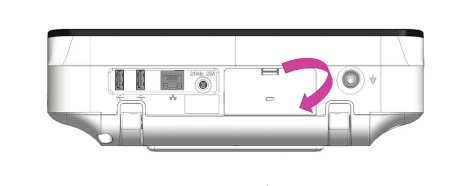
Inserting the Battery
- Use your thumb to press down on the battery compartment door latch.
- Insert the battery into the compartment slot. Ensure the orientation is correct.
- Close the battery compartment door.
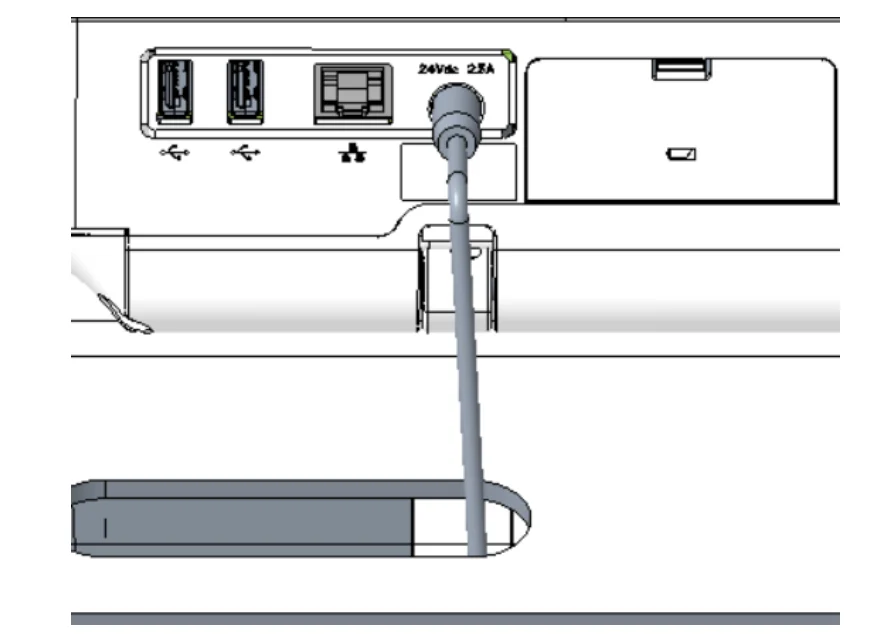
Connecting to AC Power
- Connect the appropriate end of the power cord to the AC/DC adapter.
- Plug the other end of the AC/DC adapter cord to the power connector on the back of the GE MAC 5.
- Plug the male end of the power cord into an AC outlet. If the AC Power LED is green, the GE MAC 5 is receiving power.
How to Install Paper on the GE MAC 5 ECG Machine
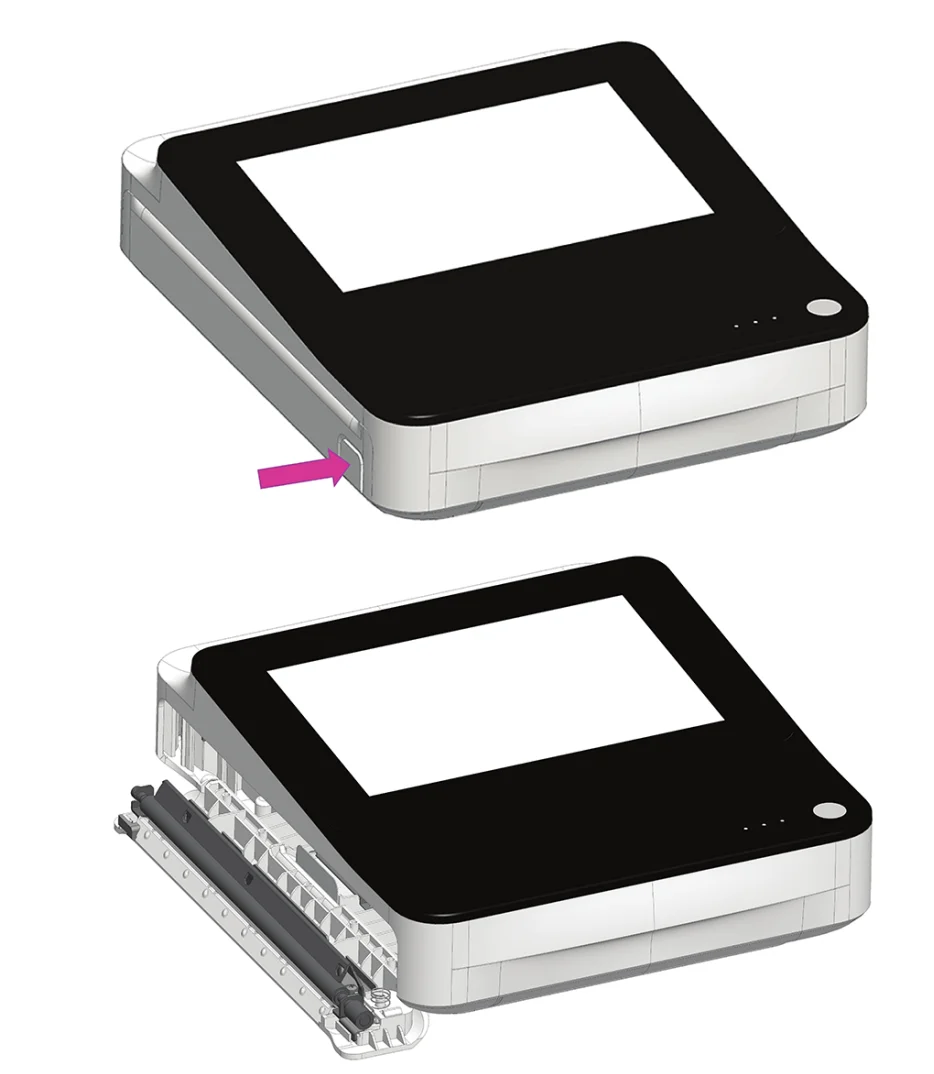
Installing Paper
For steps on adjusting the GE MAC 5 for a specific, compatible paper size, please refer to the Operator Manual. Note: the GE MAC 5 Lite does not support paper printing.
- Press the printer door button to release the printer door.
- Pull out the paper film and place the paper on top. Slide the paper into the printer until fully inserted. (If the paper has “Q holes”, the Q holes must be on the top left side. If the paper has “Q marks”, the Q marks must be on the bottom left side.)
- Advance the first sheet of paper, and push both ends of the printer door to close.
Additional Information
For additional information on setting up the GE MAC 5 Resting ECG Machine, please refer to the Operator Manual.
View the GE MAC 5 ECG Machine Full Set Up Guide