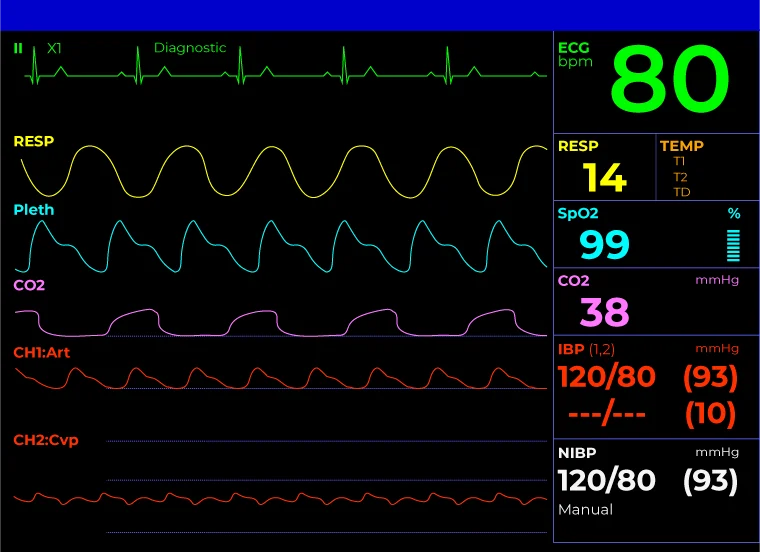
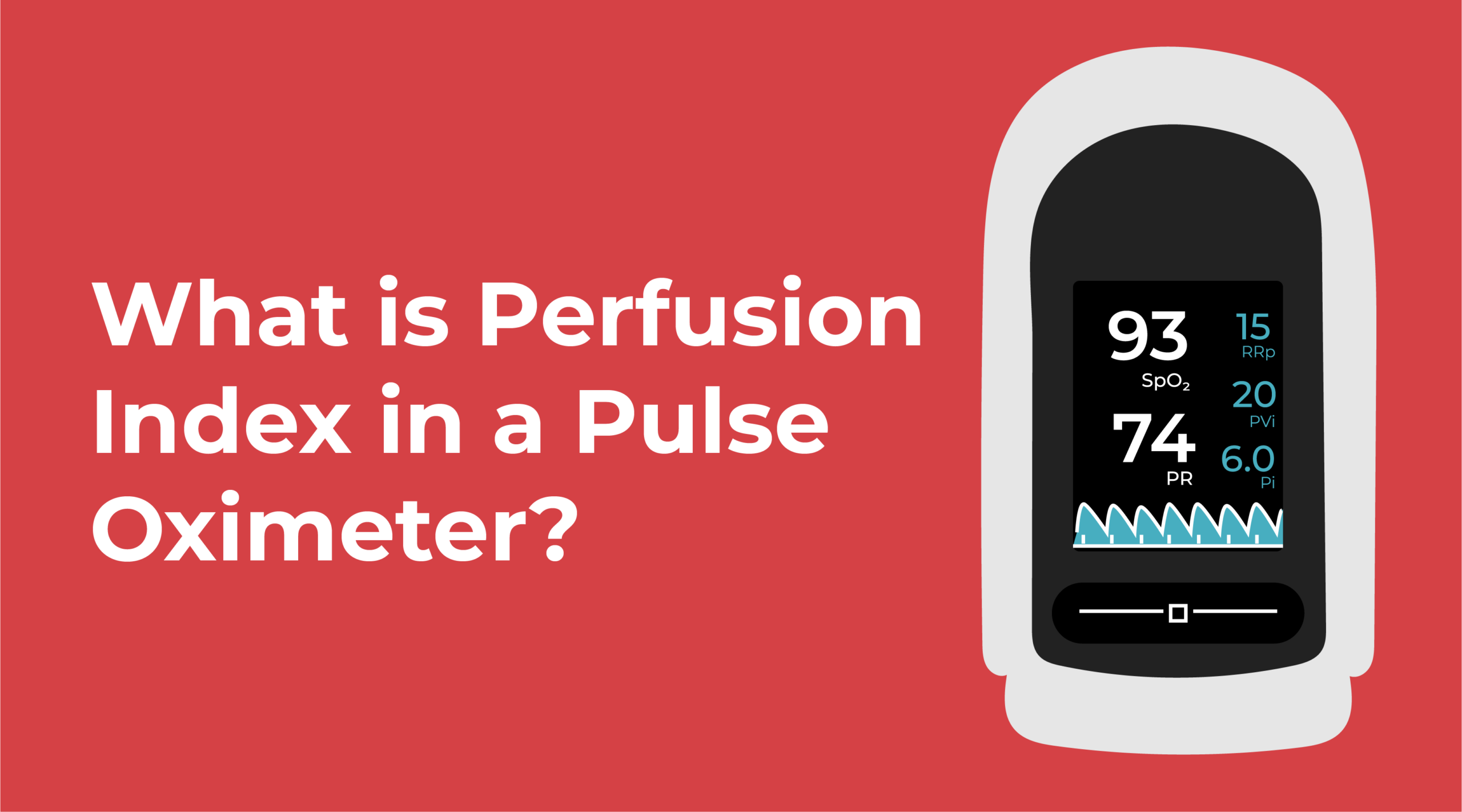
Hospital monitors, such aspatient monitors and vital signs monitors, can be intimidating to read when you’re looking at the different colored numbers and waveform lines. However, once you understand the basics, you’ll see how these monitors help clinicians perform efficient spot-check monitoring in different environments.
The common layout of a hospital monitor screentypically displays numerical vital signs on the right and the waveforms on the left. This layout helps healthcare professionals quickly assess a patient’s real-time vitals and determine if they are in the normal ranges. Although the different monitors may vary in layout and color, the parameters remain consistent.
In this guide, we’ll cover the basic standard parameters of a patient monitor and explain what the numbers and lines mean so that the screen is easier to follow.
What Do the Numbers Mean?
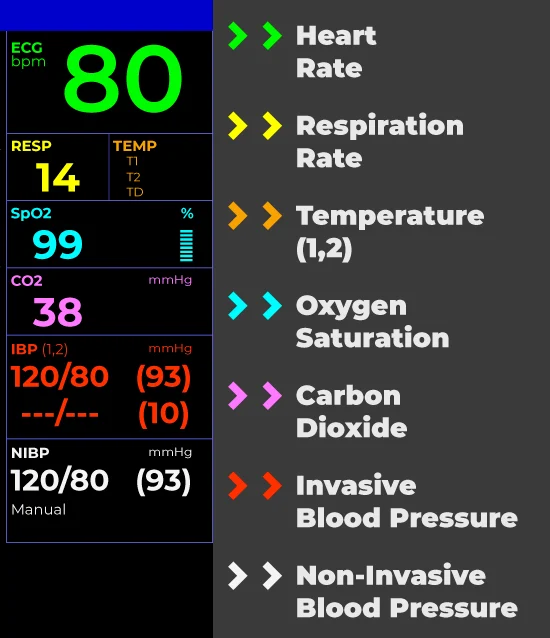
The numbers on a hospital monitor represent different vital signs, including heart rate, respiration rate, temperature, oxygen saturation, carbon dioxide, and blood pressure.
Heart Rate (HR)
Heart Rate: A normal, healthy heart rate for an adult is 60 to 100 beats per minute. On a hospital monitor, the heart rate will be shown as PR or HR.
Respiration Rate (RR)
Respiration Rate: Respiration rate shows breaths per minute and is displayed as RESP or RR. A resting, healthy adult breathes 12 to 16 times per minute.
Temperature
Temperature: Temperature is displayed as TEMP on a hospital monitor. Normal body temperature can range from 98°F to 99°F, and the average body temperature is 98.6°F. However, temperature can vary depending on age, gender and hydration levels. Temperature helps clinicians check for fevers or infections.
Most hospital monitors can display in either Fahrenheit or Celsius.
Oxygen Saturation (SpO2)
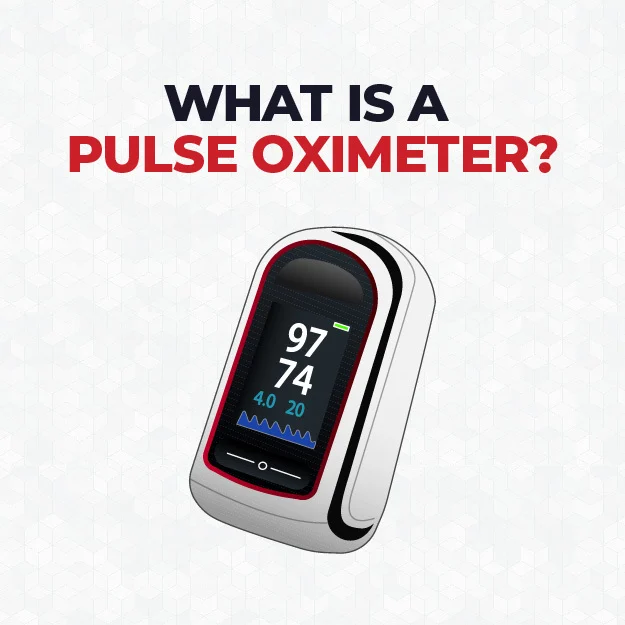
Oxygen Saturation: Oxygen Saturation (SpO2) measures the amount of oxygen in a patient’s blood. Normal oxygen saturation is 95% or higher. Measurements below 94% can mean a patient isn’t getting enough oxygen.
Carbon Dioxide (CO2)
Carbon Dioxide: CO2 measures the concentration of carbon dioxide in a patient’s exhaled breath. Normal CO2 readings range from 35 – 45 mmHg.
Invasive Blood Pressure (IBP)
Invasive Blood Pressure: IBP reports in mmHg. In this case, Arterial Blood Pressure (ART) and Central Venous Blood Pressure (CVP) is showing.
Non-Invasive Blood Pressure (NIBP)
Non-Invasive Blood Pressure: NIBP helps determine the systolic blood pressure (SYS) and diastolic blood pressure (DIA).
Systolic pressure (top number) measures pressure when the heart pumps blood out. Diastolic pressure (bottom number) measures pressure when the heart rests between beats.The average BP reading is 120/80 mmHg.
What Do the Colored Lines Mean?
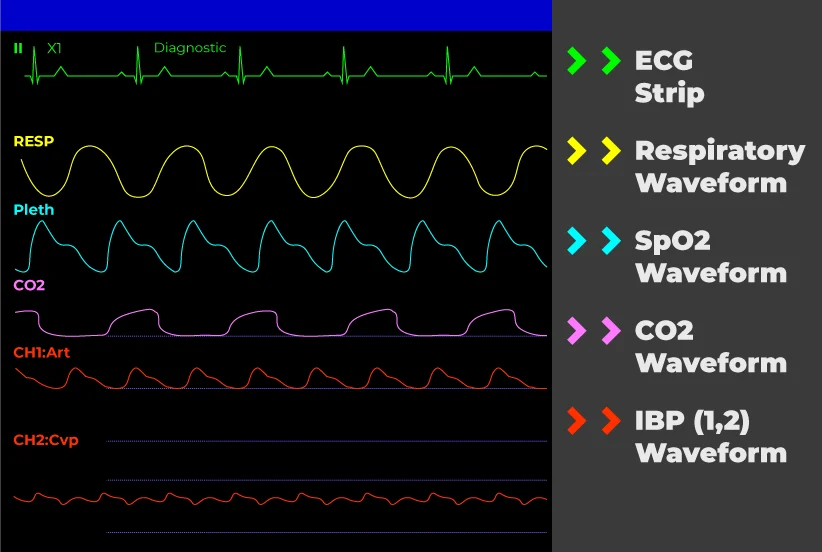
The colored lines, or waveforms, represent different activities in a patient, such as their ECG/EKG activity, oxygen levels and breathing patterns.
ECG/EKG (Electrocardiogram)
ECG/EKG (Electrocardiogram): The ECG/EKG waveform tracks the electrical activity and rhythm of the heart.
Respiratory Waveform
Respiratory Waveform: The Respiratory (RESP) waveform can be helpful for clinicians monitoring any respiratory issues like apnea or dyspnea.
SpO2 Waveform (Blood Oxygen)
SpO2 (Blood Oxygen) Waveform: The SpO2 waveform helps determine if there are any issues with circulation or peripheral perfusion.
CO2 Waveform
CO2 Waveform: The CO2 Waveform helps with visualizing how much CO2 a patient is exhaling.
IBP Waveform
IBP Waveform: The IBP Waveform helps visualize the invasive blood pressure. Some patient monitors will show multiple waveforms. For example, ART (Arterial Blood Pressure) and CVP (Central Venous Blood Pressure) is on display.
We use cookies and similar technologies to keep the site working, measure basic site performance, personalize your experience, and support advertising. You can accept all optional choices, reject optional choices, or manage your preferences.
Your Privacy Choices
Choose which optional cookies and similar technologies may be used. Necessary cookies and basic site measurement are always active because they support shopping, checkout, security, and site performance.
Necessary
Required for shopping, checkout, security, and core site features.
Always Active
Personalization
Remembers browsing behavior such as recently viewed products and recommendations.
Advertising
Allows Google Ads measurement, ad personalization, remarketing, enhanced conversions, and audience features. If off, we still use basic site measurement, but do not use your activity for those advertising features.